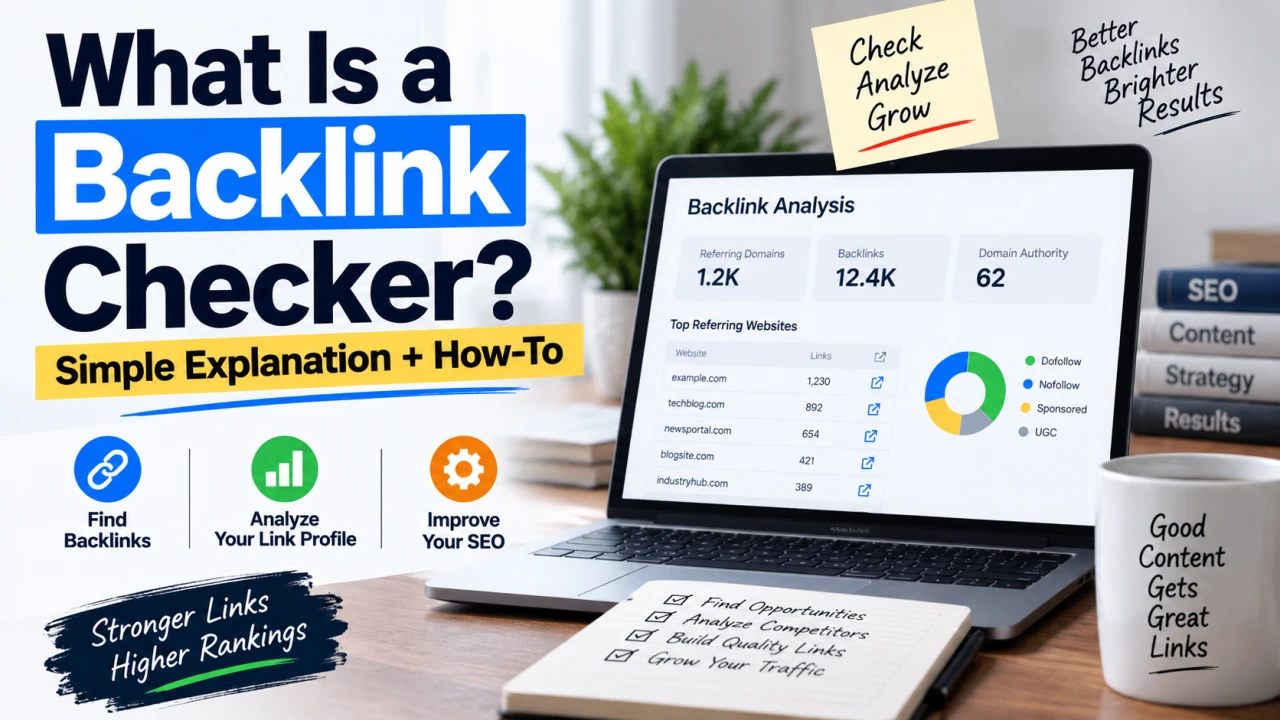
If you've started paying attention to SEO, you've probably run into the term "backlink checker" without anyone actually explaining what it does. It sounds technical, but the concept behind it is simple — you're just missing the context for why it matters.
What a Backlink Checker Actually Does
A backlink checker is a tool that shows you which websites link to a specific page or domain. That's the whole concept. You enter a URL, and the tool returns a list of other websites that contain a link pointing back to that URL, often with additional details like when the link was found, what anchor text was used, and how authoritative the linking site is considered to be.
Think of it like this: if your website is a shop, a backlink is another website vouching for you by pointing customers in your direction. A backlink checker is simply the tool that lets you see who's been doing the vouching.
Why Backlinks Matter in the First Place
Search engines like Google use backlinks as one of many signals to judge how trustworthy and relevant a page is. The reasoning is fairly intuitive: if multiple other websites — especially reputable, established ones — link to your content, that's treated as a vote of confidence that your page is worth showing to searchers.
This is why backlinks have remained one of the most talked-about ranking factors in SEO for over two decades, even as search algorithms have evolved dramatically around them.
What Information a Backlink Checker Shows You
Most backlink checkers, whether free or paid, surface some combination of the following:
- Referring domains — the actual websites linking to you, not just the number of individual links
- Anchor text — the clickable text used in the link, which gives context about what the linking site thinks your page is about
- Link authority — a score (often called Domain Authority, Domain Rating, or similar depending on the tool) estimating how much weight that particular backlink likely carries
- Dofollow vs. nofollow status — whether the link passes SEO value directly or is tagged in a way that tells search engines not to count it as an endorsement
- First seen / last seen dates — when the link was discovered and whether it's still live
How to Actually Use a Backlink Checker
Knowing what the tool shows you is only useful if you know what to do with that information. Here's how it's typically used in practice:
1. Check Your Own Site's Backlink Profile
Run your own domain through a checker periodically to see who's linking to you. This helps you spot new links you didn't know about (sometimes people link to your content without telling you), and just as importantly, helps you catch spammy or low-quality sites linking to you that might be worth disavowing.
2. Research Competitors
Run a competitor's top-ranking page through the same tool to see which sites link to them. This often reveals realistic link-building opportunities — if a site links to three of your competitors, there's a reasonable chance they'd link to genuinely useful content from you too.
3. Confirm Outreach and Guest Posts Went Live
If you've done any link-building outreach or published a guest post elsewhere, a backlink checker (or your own site's Search Console data) confirms the link is actually live, pointing where you intended, and set up as a genuine dofollow link rather than nofollow.
4. Spot Toxic or Suspicious Links
Not all backlinks help you — some, particularly from spammy or unrelated sites, can actually work against you. Periodically reviewing your backlink profile helps you catch these early rather than letting them accumulate unnoticed.
Free vs. Paid Backlink Checkers: What's the Difference?
Free backlink checkers (including free tiers of paid tools like Ahrefs and Semrush) typically show a limited sample of backlinks — often your top 5 to 100 — along with a rough authority score. Paid versions unlock the full backlink list, historical data showing links gained or lost over time, and more detailed filtering.
For most people checking in occasionally, a free tool combined with your own Google Search Console data (which shows exact, accurate data for your own site specifically) covers the majority of practical use cases without needing a subscription.
Common Misunderstandings Worth Clearing Up
More backlinks isn't automatically better. A handful of backlinks from genuinely relevant, reputable sites typically carries more weight than hundreds of links from low-quality or unrelated websites.
Not all backlinks are treated equally. A nofollow link, for instance, is generally understood not to pass the same ranking value as a dofollow link, even though it can still send real traffic and visibility.
Backlink checkers don't all show identical data. Different tools crawl the web independently and maintain their own index of links, so it's normal to see somewhat different numbers between two different backlink checkers for the same site.
The Bottom Line
A backlink checker is simply a lookup tool — type in a URL, and it shows you who's linking to it. The real value comes from what you do with that information: monitoring your own link profile, researching what's working for competitors, confirming your outreach efforts actually landed, and catching harmful links before they cause a problem. Once you understand it's just a "who links to this page" lookup, the rest of SEO backlink strategy becomes much easier to follow.
Frequently Asked Questions
Q: Is a backlink checker the same as a domain authority checker? Not exactly, though they're often bundled together. A backlink checker's core job is listing who links to a page; authority scores like Domain Authority or Domain Rating are usually shown alongside that data as an additional metric, not the primary function.
Q: Can I check anyone's backlinks, or only my own website? Most backlink checkers let you look up any public domain, not just your own. This is commonly used for competitor research, though the depth of free data is usually limited compared to checking your own verified site through tools like Google Search Console.
Q: Why do different backlink checkers show different numbers for the same site? Each tool crawls the web independently and builds its own index of discovered links, so coverage naturally varies between tools. No single backlink checker has a complete, universal view of every link on the internet.
Q: Do I need a paid backlink checker to do SEO properly? Not necessarily, especially for smaller sites. A free tool combined with your own Google Search Console data (which is fully accurate for your own domain) covers most practical needs. Paid tools become more valuable for larger-scale, ongoing link-building campaigns.
Q: What does it mean if a backlink checker shows a link as "nofollow"? A nofollow tag tells search engines not to pass ranking credit through that link, even though it's still a real, clickable link that can send traffic. It's commonly used on comments, forum posts, and some paid or sponsored content.
Q: Should I be worried if I see backlinks from sites I don't recognize? Not automatically — plenty of legitimate backlinks come from sites you've never interacted with directly. It's worth a closer look if a linking site appears spammy, unrelated to your niche, or part of a pattern of low-quality sites, since those are the ones worth considering for disavowal.
The Editorial Team
We are a collective of tech enthusiasts and digital experts dedicated to making sense of the evolving digital landscape for our global audience.
Connect With Us
0 Perspectives