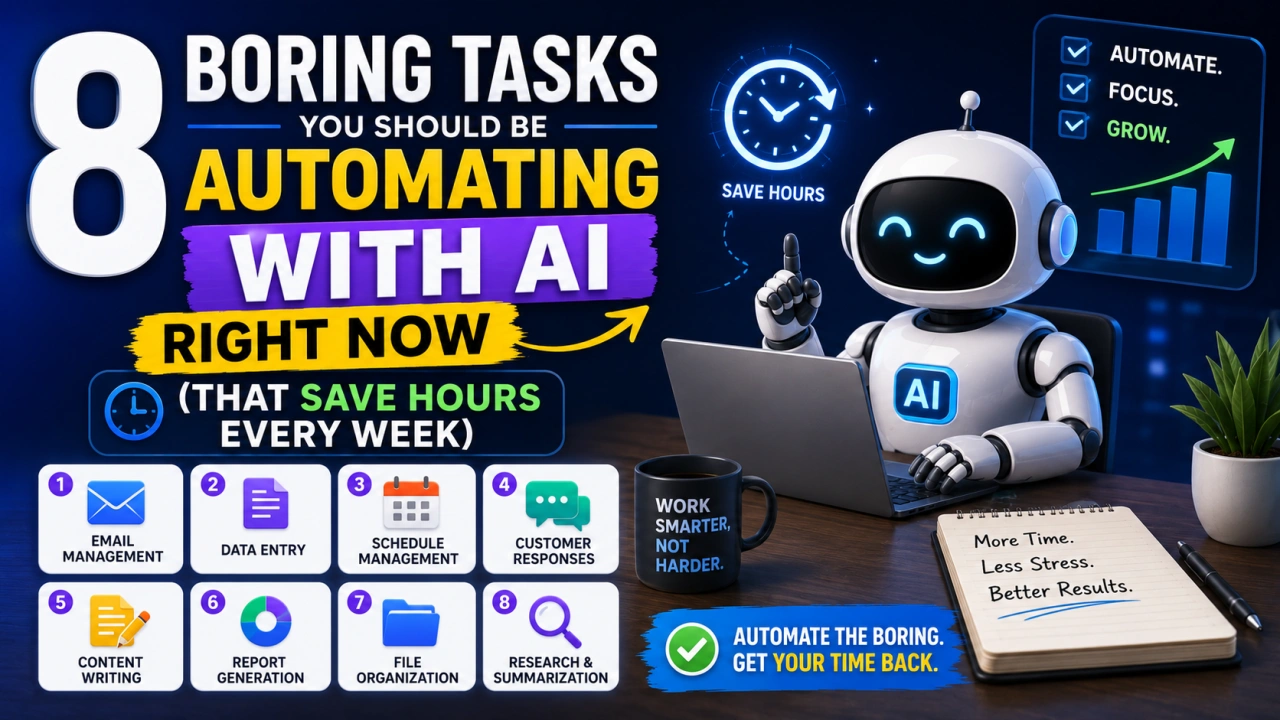
There's a version of your week where you spend 3–4 fewer hours on repetitive, low-thought tasks. Where emails practically write themselves, meeting notes appear without any effort, and the administrative pile on your desk quietly manages itself.
That version isn't a fantasy. It's available right now, with free tools, no coding required.
Here are 8 specific tasks you should be automating with AI today.
1. Email Drafting and Replies
The average person spends 2.5 hours per day on email. A huge chunk of that time is spent on messages that follow predictable patterns — follow-ups, confirmations, polite declines, scheduling requests.
How to automate it: Use ChatGPT or Claude with a prompt like: "Draft a professional follow-up email to [name] about [topic]. Keep it brief and warm. My tone is [casual/formal]."
Take the draft, edit for 30 seconds, send. For high-volume email days, this alone can save an hour.
2. Meeting Notes and Action Items
Recording your meetings and manually transcribing notes is 2026's equivalent of faxing documents.
How to automate it: Tools like Otter.ai, Fireflies.ai, and Notion AI (all with free tiers) join your video calls and produce transcripts with auto-generated summaries and action items.
After each meeting, you get a structured summary: key decisions made, who said what, what needs to happen next and by whom. It's genuinely useful, not just a transcript dump.
3. Social Media Captions
Coming up with fresh captions for every post is time-consuming and often not the best use of a business owner or content creator's time.
How to automate it: Batch-create a week's worth of captions in one session using AI. Prompt: "Write 7 Instagram captions for a [type of business] account. Tone: [friendly/professional/witty]. Topics this week: [list]. Include relevant hashtags."
Review, tweak the voice, schedule. What used to take 90 minutes takes 20.
4. Summarizing Long Documents and Reports
PDFs, research papers, industry reports, legal documents — the average professional spends far too much time reading documents they could skim if they had the key points upfront.
How to automate it: Upload the document to Claude or ChatGPT (which accept PDF uploads) and ask for a summary: "Summarize this report in 5 bullet points. What are the key findings? What actions does it recommend?"
For a 30-page report, this takes 30 seconds and gives you everything you need to decide whether to read further.
5. Creating First Drafts of Blog Posts or Reports
AI doesn't write better than a skilled human writer — but it's excellent at creating a structured first draft that humans can then edit and elevate.
How to automate it: Use a detailed prompt: "Write a 1,000-word blog post outline on [topic] for an audience of [description]. Include an introduction, 5–7 main sections with subheadings, key points for each section, and a conclusion."
Then either expand it yourself or ask AI to draft each section individually. Your editing time is far shorter than your writing time would have been from scratch.
6. Data Entry and Spreadsheet Tasks
Copying data between systems, formatting spreadsheets, creating formulas — these are perfect automation candidates.
How to automate it: If you use Excel or Google Sheets, AI tools like Microsoft Copilot or Google's Gemini integration can write formulas, clean data, and create pivot tables from natural language instructions. "Show me total sales by region for Q1" becomes an instant formula or chart.
For moving data between apps, Zapier and Make (both free tiers available) connect hundreds of tools without any code.
7. Customer FAQ Responses
If you respond to customer questions and find yourself typing the same things repeatedly, you're in automation territory.
How to automate it: Create a bank of polished responses using AI, based on your 10 most common questions. For small businesses using email, this becomes a quick-access document you copy from. For larger operations, tools like Tidio or Freshdesk offer AI-powered chat support.
8. Research Summaries
Need to understand a competitor, a new market, a regulatory change, or an industry trend? Manual research takes hours.
How to automate it: Use AI with web browsing enabled (ChatGPT's web search feature, or Perplexity.ai) to do the initial research pass. Prompt: "Give me a summary of the current state of [topic], key players, recent developments, and 3 things I should be aware of. I'm a [role] in the [industry] industry."
You still need to verify and go deeper on what matters — but the first 80% of the research takes minutes instead of hours.
One Key Principle
Automation works best when you're specific. Vague prompts get vague results. The more context you give an AI tool — your tone, your audience, your constraints, the format you want — the more useful the output.
Invest 30 minutes this week identifying which 2–3 of these tasks eat the most of your time. Start there. Once you've built the habit of reaching for AI on those, adding more automations becomes natural.

The Editorial Team
We are a collective of tech enthusiasts and digital experts dedicated to making sense of the evolving digital landscape for our global audience.
Connect With Us
0 Perspectives