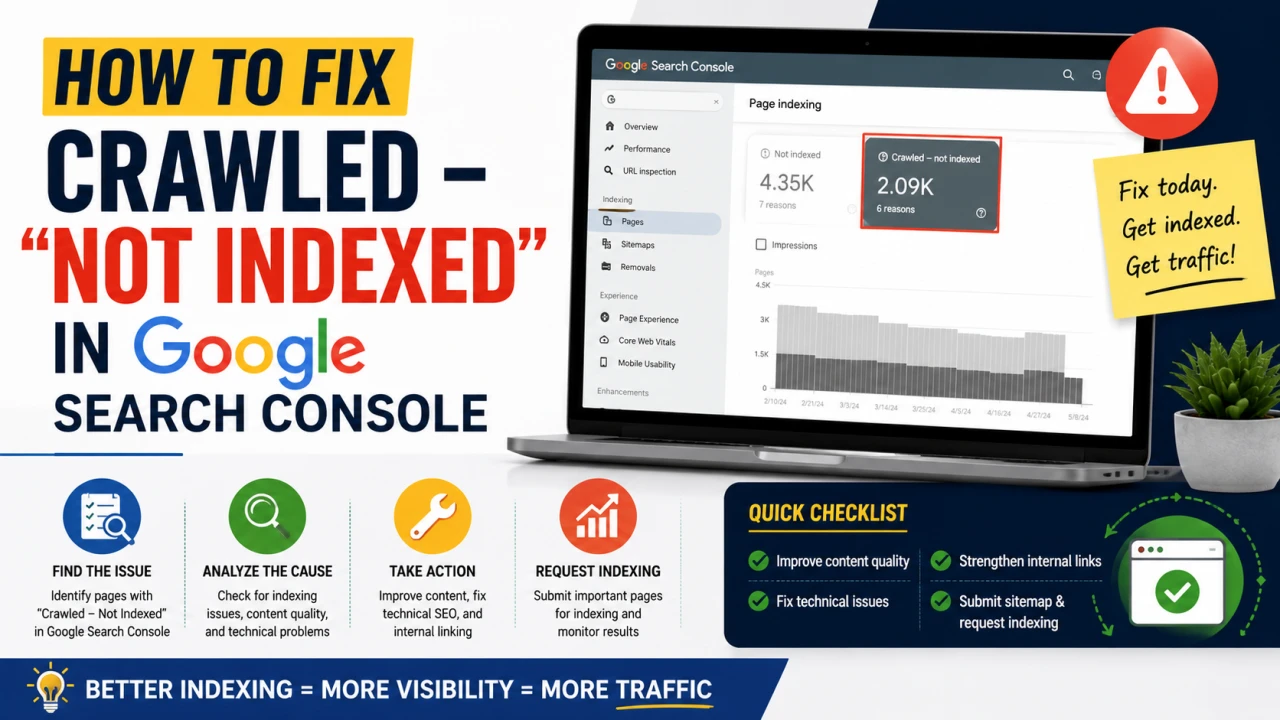
Few things are more frustrating than checking Search Console and seeing "Crawled – currently not indexed" next to a page you spent real time on. It means Google visited the page, read it, and decided — for now — not to add it to the index. Unlike a technical error, there's no red flag to fix; it's a judgment call Google made, which makes it harder to troubleshoot but not impossible.
What This Status Actually Means
It's important to separate this from similar-sounding statuses:
- "Discovered – currently not indexed" means Google knows the URL exists but hasn't crawled it yet, often due to crawl budget constraints
- "Crawled – currently not indexed" means Google did crawl the page, read the content, and chose not to index it — this is the more concerning of the two, because it's not a scheduling issue, it's a quality or relevance decision
Understanding which one you're dealing with changes the fix. This guide focuses on the second, more common frustration point.
The Real Causes (In Order of Likelihood)
1. Thin or Low-Value Content
This is the single most common cause. If a page doesn't offer enough unique value compared to what's already in Google's index — including your own other pages — it may get crawled but skipped for indexing. "Thin" doesn't just mean short; a 2,000-word page that says nothing not already said better elsewhere can be judged thin too.
Fix: Expand genuinely useful detail, add original data, examples, or a perspective not already covered elsewhere on your site or by competitors ranking for the same query.
2. Duplicate or Near-Duplicate Content
If a page closely resembles another page — on your site or elsewhere — Google may choose to index only one version and skip the rest.
Fix: Check for near-duplicate posts on your own site (a common issue when similar topics get covered in slightly different posts over time) and either consolidate them or clearly differentiate the angle and content of each.
3. Weak or Missing Internal Links
Pages with few or no internal links pointing to them send a weak relevance signal — if your own site doesn't link to a page much, why would Google prioritise indexing it?
Fix: Add contextual internal links from your strongest, most-indexed pages to the affected URL (see our guide on internal linking strategy for the full framework).
4. Low Overall Site Quality Signals
If a significant portion of your site's pages are thin, low-value, or duplicate, Google may become more conservative about indexing new content from your domain generally, even when an individual page is solid.
Fix: Audit your site broadly, not just the affected page — pruning or improving genuinely weak content elsewhere can improve indexing rates across the site.
5. Crawl Budget Constraints on Large Sites
For sites with tens of thousands of pages, Google allocates a limited crawl budget. Lower-priority pages may get crawled but deprioritised for indexing in favour of pages Google judges more valuable.
Fix: For large sites, focus crawl budget on your most valuable pages by reducing low-value URL variations (filters, tags, pagination) that consume crawl budget without adding indexing value.
The Practical Fix Checklist
- Read the page as if you were a stranger. Does it say something genuinely useful that isn't already better covered elsewhere — including on your own site?
- Check for near-duplicates. Search your own site for similar titles or topics that might be competing with the affected page.
- Add internal links. Link to the page from at least 2-3 relevant, already-indexed posts.
- Improve the content meaningfully, not cosmetically — add depth, data, examples, or a distinct angle rather than just increasing word count for its own sake.
- Request indexing manually via the URL Inspection tool in Search Console after making changes — this doesn't guarantee indexing, but it does prompt a re-crawl sooner than waiting.
- Wait and re-check. Indexing decisions can take days to weeks to update after changes, particularly on larger or newer sites.
What Doesn't Work
- Repeatedly clicking "Request Indexing" without changing anything on the page — this doesn't improve your odds and can flag as spammy behaviour if done excessively
- Padding content with filler text to increase word count without adding real value — Google's quality systems are generally good at identifying this
- Buying backlinks to force indexing — this addresses the wrong problem and carries its own risk of penalty
When to Just Let It Go
Not every page needs to be indexed. If a page genuinely doesn't add unique value — a very short update, a page that duplicates existing content, or a low-priority utility page — it may be more efficient to noindex it deliberately or merge it into a stronger page, rather than fighting to force indexing of something that isn't pulling its weight.
The Bottom Line
"Crawled – currently not indexed" is Google telling you, in its own indirect way, that a page isn't yet earning its place in the index. The fix is rarely technical — it's almost always about genuine content depth, internal linking, and reducing competition from near-duplicate content on your own site.
Frequently Asked Questions
Q: How long does it take for a page to get indexed after fixing the issue? It varies widely — anywhere from a few days to several weeks, depending on your site's overall crawl frequency and authority. Requesting indexing manually through URL Inspection can help but doesn't guarantee a faster outcome.
Q: Is "crawled - not indexed" the same as a penalty? No. It's not a manual action or penalty — it's an automated quality/relevance decision. You can confirm there's no penalty by checking the Manual Actions report in Search Console separately.
Q: Can too many internal links cause indexing issues? Not directly — the concern is usually too few internal links to a page, not too many. Excessive, unnatural link stuffing can look manipulative, but a reasonable, contextual internal linking strategy generally helps rather than hurts indexing.
Q: Should I delete pages that won't get indexed? Not automatically. First assess whether the page could be genuinely improved or merged into a stronger, related page. Deletion (or noindexing) makes sense mainly for pages that are truly redundant or low-value even after improvement.
Q: Does site age affect how quickly new pages get indexed? Generally yes — newer, smaller sites often see slower and less consistent indexing than established sites with strong crawl history and authority. This tends to improve naturally as a site builds a track record of quality content over time.
Q: Can duplicate content on other websites cause my page to not be indexed? Yes, if your content closely resembles content already well-indexed elsewhere (including scraped or syndicated versions of your own content), Google may choose not to index a version it judges redundant, even if you're the original source.

The Editorial Team
We are a collective of tech enthusiasts and digital experts dedicated to making sense of the evolving digital landscape for our global audience.
Connect With Us

0 Perspectives