Most people are still using AI the same way — typing a question into a chatbot and reading the answer. That's useful, but it barely scratches the surface of what's available to you right now, for free.
The real power of AI in 2025 isn't in answering questions. It's in removing the repetitive, low-value tasks from your day entirely — the kind of work that eats two or three hours a week and produces nothing you couldn't have skipped.
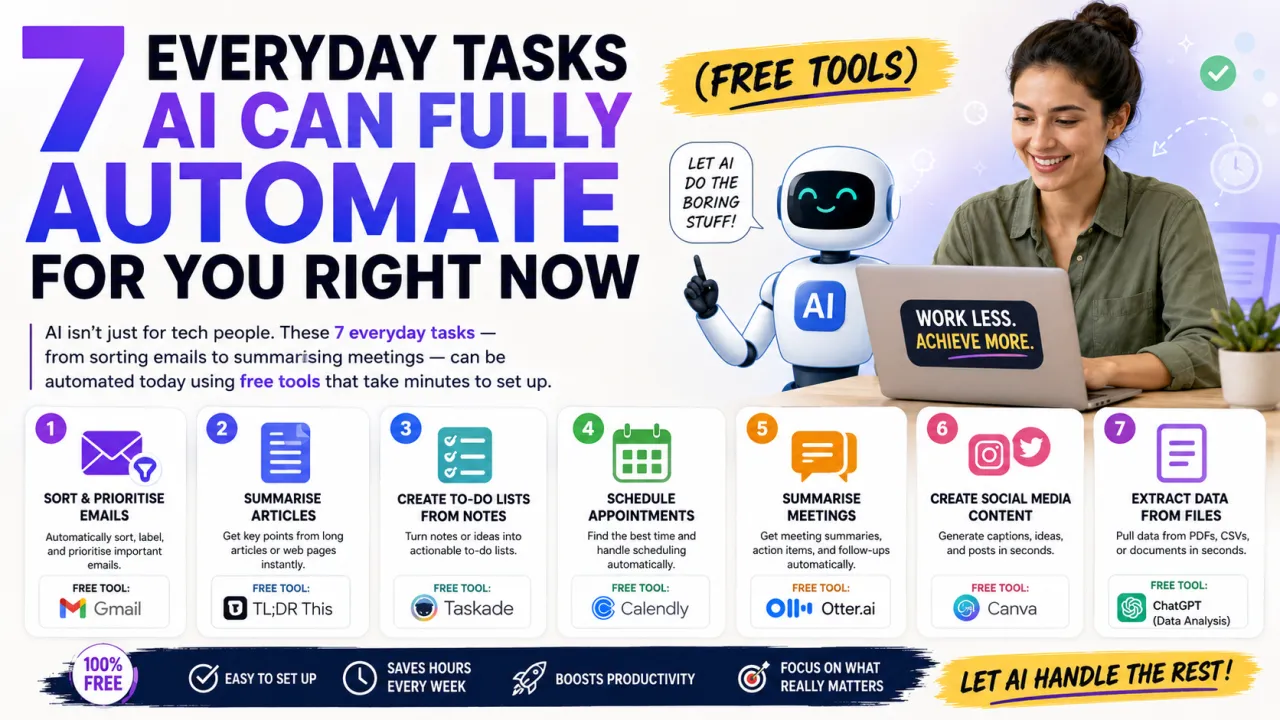
Here are seven tasks you can automate starting today, using tools that are either completely free or have a generous free tier.
1. Sorting and Summarising Your Emails
If you open your inbox every morning to 40 unread emails and spend the first hour of your day just processing them, AI can help significantly.
Tools like SaneBox (has a free trial) and the built-in AI features in Gmail (Google's Gemini integration) can automatically sort emails into priority categories, flag important messages, and move newsletters or promotions out of your main inbox. For summarising long email threads, simply paste the thread into Claude or ChatGPT and ask for a three-line summary of what's being asked and what action is needed.
This alone can save 30 to 45 minutes per day for people with busy inboxes.
2. Meeting Notes and Action Items
Sitting in a one-hour meeting and then spending another 30 minutes writing up notes is one of the most common time drains in professional life.
Otter.ai and Fireflies.ai both offer free tiers that automatically join your Google Meet, Zoom, or Microsoft Teams calls, transcribe the conversation in real time, and produce a summary with action items when the call ends. You get the notes without writing a single word.
The free tier on both tools covers a reasonable number of hours per month — more than enough for most individual users.
3. Writing First Drafts of Routine Emails
Not all emails need creative thought. Follow-up emails, meeting confirmations, "just checking in" messages, invoice reminders, and polite decline responses are largely formulaic.
Instead of staring at a blank compose window, tell an AI what the email needs to achieve in one sentence. "Write a polite follow-up email to a client who hasn't responded to my proposal in a week." Done in ten seconds. Edit for your voice and send.
Over a working week, this likely saves 20 to 40 minutes of staring at screens trying to find professional words for straightforward situations.
4. Converting Long Documents into Usable Summaries
Research reports, contracts, lengthy PDFs, meeting transcripts, annual reports — the modern working world generates an exhausting volume of text that technically needs to be read but practically never gets read fully.
Upload any PDF or paste any long text into Claude (free tier available) and ask it to summarise the key points, pull out specific information, or highlight anything that requires a decision or action. This is genuinely one of the most immediately useful AI capabilities available today.
5. Social Media Content Batching
Creating content for Instagram, LinkedIn, or X every single day is exhausting and inconsistent when done manually. Batching a week's worth of content in one sitting is far more efficient — and AI makes it achievable in 30 minutes or less.
Use ChatGPT or Claude to generate five to seven post ideas based on your niche and audience. Then refine the best three or four into actual posts, add your personal experience or opinion, and schedule them using a free tool like Buffer (free for up to three channels) or Later.
The key is to use AI to generate the raw material and structure, then add your own voice and perspective before posting. That combination produces content that sounds human because it is — AI just removed the blank-page problem.
6. Customer FAQ Responses
If you run a small business, online shop, or any kind of service and you find yourself answering the same five questions repeatedly via email or DMs — AI can handle those.
Set up a simple document with your most common questions and ideal answers. Feed that into a ChatGPT custom instruction or use a free tool like Tidio (free tier) to create a basic chatbot for your website. New and returning customers get instant answers at any time of day without you needing to be available.
7. Proofreading and Editing Written Content
Whether it's a blog post, a client proposal, a job application, or a cover letter — having another set of eyes on written content before it goes out is valuable. Most people either skip this step or spend 20 minutes doing it imperfectly themselves.
Paste any piece of writing into Claude or ChatGPT and ask it to proofread for grammar, clarity, and tone. Or use Grammarly's free tier, which runs as a browser extension and corrects issues as you type in real time across Gmail, Google Docs, LinkedIn, and most other platforms.
The Point Is Not to Replace Your Brain
Every task on this list still requires you to review the output, apply your judgment, and add your own context. AI makes a mediocre first attempt that you turn into something good. That's the real workflow — not "AI does it, you send it."
But the time saved from not starting from nothing, from not transcribing your own meetings, from not writing the same email for the 40th time — that time adds up. For most people who implement even half of these automations, it's easily two to four hours a week returned to more valuable work.
That's worth 30 minutes of setup.

The Editorial Team
We are a collective of tech enthusiasts and digital experts dedicated to making sense of the evolving digital landscape for our global audience.
Connect With Us

0 Perspectives