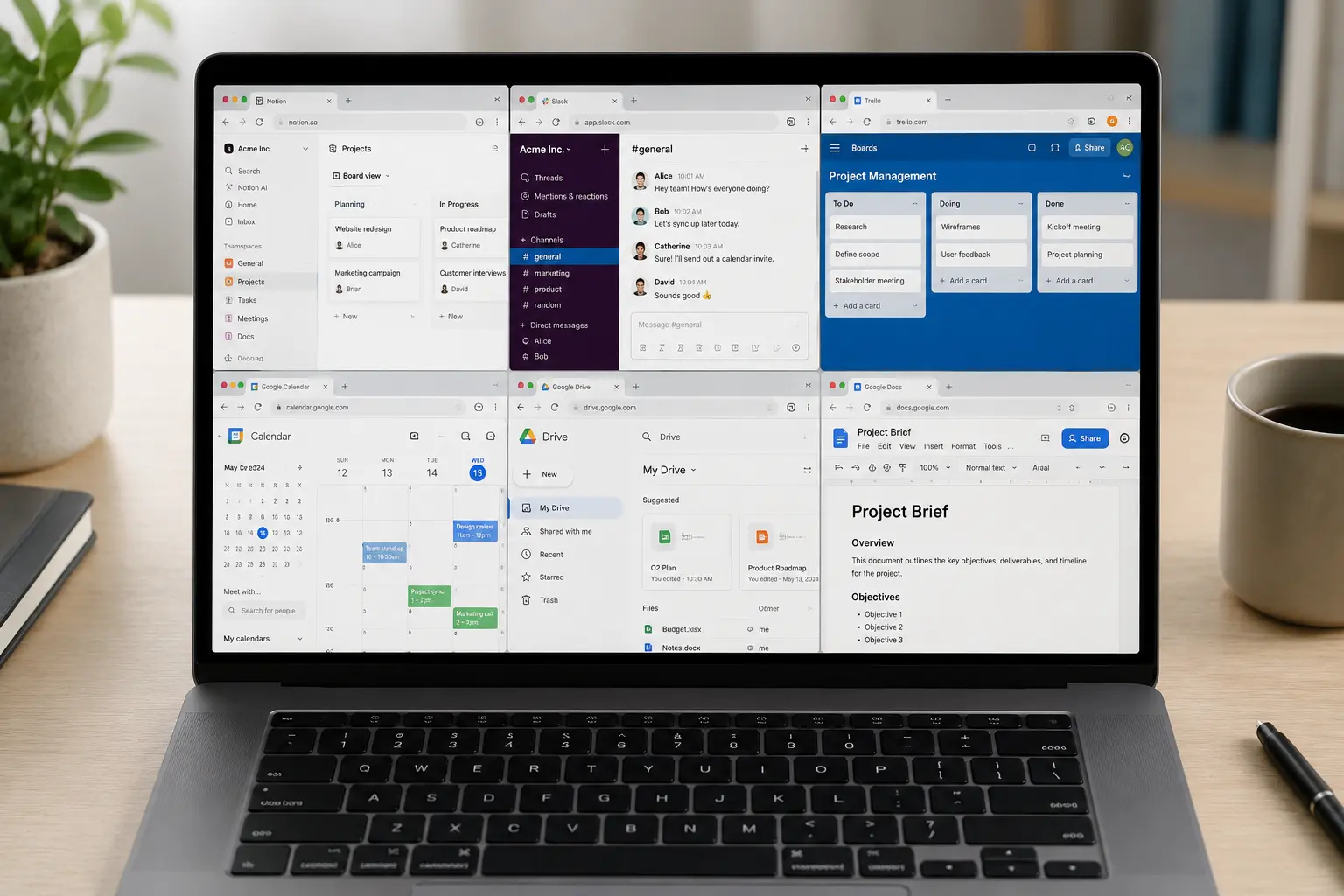
Software subscriptions have quietly become one of the most significant drains on personal and business budgets in 2026.
Think about it honestly. Adobe Creative Cloud. Microsoft 365. Grammarly Premium. Notion Plus. Canva Pro. Zoom Pro. QuickBooks. Each one feels reasonable in isolation — $10 here, $15 there, $20 a month for that one. Add them up across a year and you're looking at hundreds, sometimes thousands of dollars or pounds leaving your account for software you may not even use to its full potential.
The frustrating truth is that for the vast majority of everyday tasks — designing graphics, editing documents, managing projects, editing video, creating presentations, handling basic accounting — there are free online tools that do the job just as well. Not almost as well. Just as well.
Some of them are genuinely better than the paid alternatives for specific use cases.
This guide covers 15 of the best free online tools available in 2026 — what they replace, who they're best for, and exactly what you get without spending a penny. These are tools that real people across the US and UK use every day for real work. No filler. No obscure tools that technically work but nobody actually uses.
Design and Creative Tools
1. Canva Free — Replaces Adobe InDesign and Basic Illustrator Work
What it replaces: Adobe InDesign ($54.99/month), basic Adobe Illustrator work, paid design tools like PicMonkey
Let's start with the one most people already know about — because even if you've heard of Canva, you may not realise how much the free version actually covers.
Canva Free in 2026 gives you access to thousands of templates covering social media graphics, presentations, posters, flyers, business cards, email headers, YouTube thumbnails, infographics, and more. The drag-and-drop interface is genuinely intuitive — you don't need design training to produce professional-looking output.
For bloggers, small business owners, social media managers, and content creators, Canva Free handles the vast majority of design work without requiring a penny. The paid version (Canva Pro) adds features like background removal, brand kits, and additional premium templates — but the free tier is genuinely substantial.
What it does exceptionally well: social media graphics, presentation design, simple marketing materials, and anything that benefits from starting with a professional template rather than a blank canvas.
What it doesn't replace: complex vector illustration, professional photo retouching, multi-page publication layout at a typographically sophisticated level. For those tasks, you still need professional tools. For everything else most people actually need to design, Canva Free is enough.
Used by: Bloggers, small business owners, social media managers, teachers, nonprofit organisations, freelancers.
Get it at: canva.com
2. GIMP — Replaces Adobe Photoshop
What it replaces: Adobe Photoshop (part of Creative Cloud at $54.99/month or $22.99/month Photography plan)
GIMP (GNU Image Manipulation Program) has been around for decades and its reputation as the free alternative to Photoshop is well-earned. In 2026 it remains the most capable free image editing tool available — and for many use cases it genuinely matches Photoshop's functionality.
It's not a browser-based tool — GIMP is a downloadable application — but it runs on Windows, Mac, and Linux without any subscription or one-time purchase cost. For anyone doing serious image editing who can't justify or doesn't want to pay for Creative Cloud, GIMP is the legitimate answer.
What it handles well: photo retouching, colour correction, image compositing, background removal, creating and editing graphics from scratch, batch processing. The full suite of selection tools, layer management, filters, and adjustment tools is here.
The honest caveat: GIMP has a steeper learning curve than Photoshop and the interface, while functional, is less polished. If you're a professional photographer or graphic designer for whom Photoshop is a daily professional tool, GIMP won't fully replace it. If you're a blogger who needs to edit photos, a small business owner creating product images, or someone who occasionally needs serious image editing, GIMP does the job without the subscription.
Used by: Bloggers editing featured images, small business owners creating product photos, web developers handling image assets, students learning image editing.
Get it at: gimp.org
3. Photopea — Replaces Photoshop (Browser-Based)
What it replaces: Adobe Photoshop, basic Illustrator and InDesign work
If GIMP feels like too much of a commitment for occasional image editing, Photopea is the browser-based alternative that has quietly become one of the most impressive free tools available in 2026.
Photopea runs entirely in your browser — no download, no installation, no account required. Open the website, open your image or PSD file, and start editing. The interface will feel immediately familiar to anyone who has used Photoshop — the layout, tools, and keyboard shortcuts are closely modelled on Adobe's software.
That PSD support is a significant differentiator. Photopea opens and saves native Photoshop files, which means it works seamlessly within workflows that include Photoshop — a colleague can send you a PSD, you edit it in Photopea, save it back as a PSD, and they open it in Photoshop with no compatibility issues.
It also handles Illustrator (AI) and InDesign (INDD) files to a degree — not perfectly for complex files, but well enough for basic work.
The free version includes ads. A small annual subscription removes them, but the tool is fully functional for free — the ads are unobtrusive rather than disruptive.
Used by: Freelancers who need occasional Photoshop-level editing without a subscription. Students. Remote workers handling design tasks without a design background. Anyone who receives PSD files and needs to work with them.
Get it at: photopea.com
4. Inkscape — Replaces Adobe Illustrator
What it replaces: Adobe Illustrator (part of Creative Cloud at $54.99/month)
For vector graphics — logos, icons, illustrations, scalable graphics that need to look sharp at any size — Inkscape is the free alternative to Adobe Illustrator that professional designers and developers have used for years.
Like GIMP it's a downloadable application rather than browser-based, and like GIMP it has a learning curve that reflects the complexity of the software it's replacing. But the capability is genuinely there: bezier curves, node editing, path operations, SVG support, typography tools, and all the core vector editing functionality that Illustrator users rely on.
For web developers creating SVG graphics, small business owners designing their own logos, and students learning vector design without access to Creative Cloud, Inkscape is a serious tool that produces professional output.
Used by: Web developers, independent designers, open source software projects, students, nonprofits.
Get it at: inkscape.org
Document and Productivity Tools
5. Google Docs, Sheets, and Slides — Replaces Microsoft 365
What it replaces: Microsoft 365 Personal ($69.99/year), Microsoft 365 Family ($99.99/year)
This one needs to be on the list even though most people already know it exists — because a surprising number of people are still paying for Microsoft 365 when Google's suite does everything they actually need for free.
Google Docs replaces Word for document creation, editing, and collaboration. Google Sheets replaces Excel for spreadsheets, data analysis, and basic financial tracking. Google Slides replaces PowerPoint for presentations.
All three are browser-based, save automatically, and support real-time collaboration that is arguably better than Microsoft's equivalent — multiple people can edit the same document simultaneously with changes appearing instantly, without any conflicts or version control headaches.
Import and export compatibility with Microsoft formats (DOCX, XLSX, PPTX) is solid — not perfect for the most complex formatting, but more than adequate for the vast majority of documents that real people actually create.
For students, bloggers, freelancers, small business owners, and remote workers whose document needs don't include highly complex formatting or advanced Excel functions — which is most people — Google's suite is a complete, free replacement for Microsoft 365.
The honest limit: If your work involves complex Excel macros, advanced PowerPoint animations, or highly formatted Word documents with precise layout requirements, Microsoft 365 is still the better tool. For everything else — the daily reality of most people's document work — Google's suite covers it completely.
Used by: Students, remote workers, small business owners, freelancers, nonprofits, educators.
Get it at: docs.google.com, sheets.google.com, slides.google.com
6. Notion Free — Replaces Notion Plus, Basic Asana, and Trello
What it replaces: Notion Plus ($10/month), basic project management tools like Trello and Asana at paid tiers
Notion's free tier in 2026 is extraordinarily generous — more generous than most people realise before they try it.
The free plan gives individual users unlimited pages and blocks, meaning you can build out a complete personal knowledge base, content calendar, project tracker, habit tracker, reading list, recipe collection, and anything else you can think of — all in one place, all for free.
The combination of flexibility and functionality in Notion's free tier makes it a genuine replacement for multiple paid tools simultaneously. A blogger can manage their editorial calendar, store research notes, draft posts, and track publication schedules all in Notion without paying anything. A student can organise notes by subject, track assignments, plan essays, and build a study schedule — all within the same free workspace.
The paid plans add collaboration features for teams — unlimited guests, sharing permissions, and workspace features. For individual users, the free plan genuinely covers everything.
Used by: Students, bloggers, freelancers, remote workers, content creators, anyone who wants a flexible personal organisation system.
Get it at: notion.so
7. LibreOffice — Replaces Microsoft Office (Desktop)
What it replaces: Microsoft 365 ($69.99-$99.99/year), standalone Microsoft Office purchases
If you want the desktop application experience of Microsoft Office without the subscription — applications that run locally on your computer without needing an internet connection — LibreOffice is the answer.
LibreOffice Writer (Word equivalent), Calc (Excel equivalent), Impress (PowerPoint equivalent), and Draw (basic Illustrator/Visio equivalent) cover the full range of Office functionality. The software is completely free, open source, and available for Windows, Mac, and Linux.
Microsoft format compatibility (DOCX, XLSX, PPTX) is good — not perfect for highly complex files, but solid for the vast majority of real-world documents. Files created in LibreOffice can be saved in Microsoft formats and opened in Word, Excel, or PowerPoint without significant compatibility issues in most cases.
For students, freelancers, and individuals who want full desktop Office functionality without a recurring subscription cost, LibreOffice is the most complete free alternative available.
Used by: Students, home users, small businesses, governments and public sector organisations (LibreOffice is widely used in European public institutions), developers and technical users.
Get it at: libreoffice.org
Video and Audio Tools
8. DaVinci Resolve (Free Version) — Replaces Adobe Premiere Pro
What it replaces: Adobe Premiere Pro ($54.99/month as part of Creative Cloud), Final Cut Pro ($299.99 one-time)
DaVinci Resolve's free version is one of the most remarkable pieces of free software available in any category. It's not a stripped-down taster version — it's a professional-grade video editing application that Hollywood productions have used for colour grading.
The free version includes the full editing timeline, professional colour grading tools, audio mixing, visual effects, motion graphics, and collaboration features. The paid Studio version ($295 one-time) adds some AI-powered tools and a handful of advanced features — but for the vast majority of video creators, the free version is more than enough.
For YouTubers, content creators, small business owners creating video content, and students learning video production, DaVinci Resolve Free is a genuinely professional tool available at zero cost. The learning curve is real — this is professional software, not a simple editor — but the tutorials available online (including Blackmagic Design's own official tutorials) are excellent.
Used by: YouTubers, content creators, indie filmmakers, students learning video production, small business owners creating marketing video.
Get it at: blackmagicdesign.com/products/davinciresolve
9. Audacity — Replaces Adobe Audition and Basic Podcast Software
What it replaces: Adobe Audition ($54.99/month as part of Creative Cloud), podcast recording software like Hindenburg Journalist ($99/year)
For podcasters, musicians, educators recording voiceovers, and anyone who needs to record, edit, and produce audio without paying for professional software, Audacity has been the standard free answer for over two decades.
In 2026 it remains excellent. Multi-track recording and editing, noise reduction, equalisation, compression, normalisation, and a full suite of audio effects are all included. Recording quality is determined by your microphone and audio interface — Audacity itself handles professional-grade audio without limitation.
It's a downloadable application available for Windows, Mac, and Linux. The interface is functional rather than beautiful but it's logical and well-documented.
For basic podcast production — recording interviews, editing out mistakes, adding music and sound effects, exporting to MP3 — Audacity does everything needed without a subscription.
Used by: Podcasters, musicians, educators, voiceover artists, language learners recording pronunciation practice, researchers recording interviews.
Get it at: audacityteam.org
10. CapCut (Free Web Version) — Replaces Basic Video Editing Apps
What it replaces: Paid mobile and web video editors, basic Adobe Premiere Rush subscription
For quick video editing — social media content, short-form video for Instagram Reels, TikTok, YouTube Shorts — CapCut's free web version has become one of the most used tools among content creators in 2026.
Auto-captions generated by AI, one-click background removal, text animations, transitions, speed adjustments, and a library of royalty-free music and sound effects are all available for free. The interface is genuinely easy to use and the output looks polished without requiring video editing experience.
For bloggers and small business owners creating social content who don't need the full power of DaVinci Resolve, CapCut sits in a sweet spot — more capable than basic phone apps, simpler than professional desktop editors, and completely free for the core functionality.
Used by: Content creators, social media managers, small business owners, bloggers creating video content, students.
Get it at: capcut.com
Business and Finance Tools
11. Wave — Replaces QuickBooks and Basic Accounting Software
What it replaces: QuickBooks Simple Start ($30/month), FreshBooks ($19/month and up), basic bookkeeping software
For freelancers, sole traders, and small business owners who need accounting software without paying $30-50 per month for QuickBooks or FreshBooks, Wave is the answer that tens of thousands of US and UK small business owners have quietly adopted.
Wave's free plan includes invoicing, income and expense tracking, receipt scanning, and basic financial reporting — everything a freelancer or very small business needs to manage their finances and stay organised for tax time. The invoicing feature alone is worth the price of admission: professional-looking invoices with payment tracking, automatic payment reminders, and online payment acceptance.
The paid features — payroll and payment processing — charge transaction fees, but the core accounting functionality is free without limitation on the number of invoices, clients, or transactions.
For a freelance writer, designer, consultant, or any solo operator managing their own finances, Wave covers everything that most people actually use QuickBooks for, at zero monthly cost.
Used by: Freelancers, sole traders, very small businesses, side hustle operators, self-employed professionals.
Get it at: waveapps.com
12. Trello Free — Replaces Basic Project Management Tools
What it replaces: Asana Premium ($13.49/month), Monday.com Basic ($9/month), project management tool paid tiers
Trello's free tier remains one of the best project management tools available without paying in 2026. The kanban board format — cards organised into columns representing stages of work — is intuitive enough that new users grasp it within minutes, yet flexible enough to handle genuinely complex projects.
Unlimited cards, up to 10 boards per workspace, basic automation, and integrations with key tools like Google Drive and Slack are all included in the free plan.
For individual freelancers managing client projects, bloggers tracking their content pipeline, small teams coordinating work without a formal project management system, and students managing coursework — Trello Free handles the job cleanly and simply.
Used by: Freelancers, small teams, bloggers, students, remote workers, small business owners.
Get it at: trello.com
13. Calendly Free — Replaces Paid Scheduling Tools
What it replaces: Calendly Standard ($12/month), Acuity Scheduling ($20/month), similar scheduling tools
Scheduling meetings across time zones and busy calendars is one of the most genuinely tedious administrative tasks in professional life. Calendly solves it elegantly — share a link, recipients pick a time that works for both parties, the meeting is added to both calendars automatically.
The free plan allows one event type and calendar connection, which covers the core use case for most individuals — booking introductory calls, client meetings, interviews, or consultations. For freelancers who need to schedule client calls, coaches booking sessions, job seekers arranging interviews, and remote workers coordinating across time zones, the free plan handles the job without paying a monthly fee.
Used by: Freelancers, coaches, consultants, job seekers, remote workers, small business owners.
Get it at: calendly.com
Writing and Communication Tools
14. Hemingway Editor — Replaces Grammarly Premium for Readability
What it replaces: Grammarly Premium ($30/month), ProWritingAid ($100/year) for readability improvement
Grammarly is useful, but at $30 per month for the premium version it's a significant subscription cost for many bloggers and writers. For the specific task of making your writing clearer, more readable, and less cluttered — which is often more important than grammar checking — Hemingway Editor is free and arguably more useful.
Paste your writing into Hemingway Editor and it highlights sentences that are too long and complex, passive voice usage, adverbs that weaken your writing, and phrases with simpler alternatives. It assigns a readability grade level and suggests a target grade for your audience.
For bloggers, the readability feedback is invaluable. Clear, direct writing ranks better, engages more, and is shared more — and Hemingway Editor helps you achieve it without a subscription.
The desktop app version costs a one-time fee, but the browser-based version at hemingwayapp.com is completely free.
Used by: Bloggers, content marketers, students, technical writers, anyone who wants cleaner, more readable prose.
Get it at: hemingwayapp.com
15. LanguageTool — Replaces Grammarly for Grammar Checking
What it replaces: Grammarly Premium ($30/month), ProWritingAid for grammar checking
For grammar and spelling checking — the core function most people actually use Grammarly for — LanguageTool's free browser extension and web app is an excellent alternative that handles the job without a monthly subscription.
It integrates with your browser to check text as you type across websites, email clients, and web-based tools. It catches grammar errors, spelling mistakes, punctuation issues, and style suggestions in real time — the core of what Grammarly offers.
The free version has usage limits on the length of text it will check at once and fewer style suggestions than the premium version. For everyday writing — emails, blog post drafts, social media — it covers the ground well.
Support for multiple languages is another genuine advantage over Grammarly — LanguageTool handles over 25 languages, making it particularly useful for multilingual writers and US and UK businesses communicating with international audiences.
Used by: Bloggers, students, non-native English speakers, remote workers, small business owners writing professional communications.
Get it at: languagetool.org
How to Audit Your Current Subscriptions
Now that you have 15 solid free alternatives, here's a simple process for auditing what you're currently paying for:
Go through your bank or credit card statements for the past three months and list every software or app subscription. Include annual subscriptions that may only appear once. Add up the monthly total. For each subscription ask honestly — do I use this regularly? Does the free alternative cover what I actually use it for? What would genuinely be lost by switching?
Most people find two or three subscriptions they can cancel immediately and replace with free alternatives from this list without losing anything they actually use. For a subscription stack adding up to $100 or more per month, that exercise is worth the thirty minutes it takes.
A Note on Free Tool Limitations
Being honest about where free tools fall short matters.
Free tools are the right choice when they genuinely cover your use case. They're not the right choice when the limitation of the free version creates friction or compromises quality in ways that cost you more in time than the subscription would cost in money.
A professional photographer who edits hundreds of images a week and relies on Lightroom's catalogue system and advanced processing tools should probably pay for Lightroom. A blogger who edits a few photos a month for their posts can absolutely use GIMP or Photopea without compromise.
A growing e-commerce business processing hundreds of transactions a month with payroll and multiple employees needs QuickBooks or equivalent. A freelance designer invoicing five clients a month with straightforward bookkeeping needs Wave.
The question is always: does this free tool genuinely cover what I actually do — not what I imagine I might someday do? For most people, for most tasks, the answer is yes. And the money saved is real.
Final Thoughts
Software subscriptions have a way of accumulating invisibly. One at a time they feel reasonable. Together they represent a significant and often unnecessary monthly expense — particularly when free alternatives exist that cover the actual use case just as well.
The 15 tools in this guide replace software that would cost hundreds of dollars or pounds per year if you were paying for all of it. Canva replaces expensive design subscriptions. Google's suite replaces Microsoft 365. Wave replaces QuickBooks. DaVinci Resolve replaces Premiere Pro. Each one is used by thousands of real people for real work every day.
Start with the subscriptions you're currently paying for that have equivalents on this list. Try the free alternative for a month. Be genuinely open to it. Most of the time, you'll find it covers what you need — and the money you save is better off in your pocket.

The Editorial Team
We are a collective of tech enthusiasts and digital experts dedicated to making sense of the evolving digital landscape for our global audience.
Connect With Us
0 Perspectives