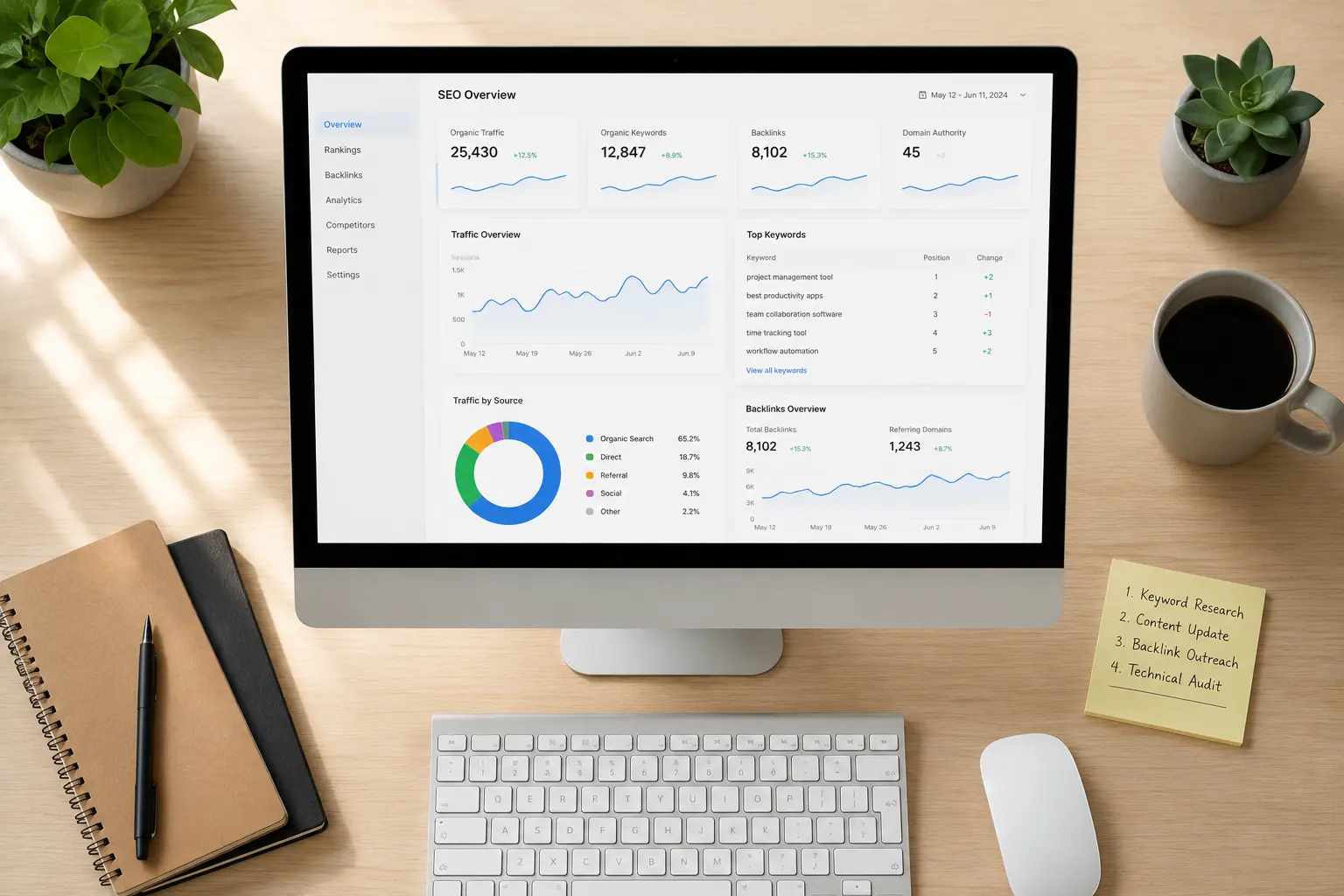
Let's address the elephant in the room straight away.
The SEO software industry wants you to believe that ranking on Google requires a £99 or $129 per month subscription to some all-in-one platform with a dashboard that looks like mission control. They've done a brilliant job of convincing bloggers, small business owners, and marketing teams that without their tool, they're essentially flying blind.
It's not true.
Don't get me wrong — paid SEO tools have their place, especially for large agencies managing dozens of clients or e-commerce businesses running thousands of product pages. But for the vast majority of bloggers, small business owners, and independent content creators in the US and UK? The free tools available in 2026 are genuinely exceptional. Some of them are flat-out better than paid alternatives for specific tasks.
I've tested these tools properly — not just clicked around for ten minutes and written a list. I've used them in real content workflows, for real websites, over real periods of time. Here's what actually works.
What Free SEO Tools Can Realistically Do for You
Before we get into the list, let's be clear about expectations.
Free tools can absolutely help you:
- Find keywords worth targeting
- Understand why your site isn't ranking
- Analyse your competitors' content strategies
- Fix technical issues holding your site back
- Track your rankings over time
- Improve your on-page SEO on every page you publish
- Build a backlink strategy without guesswork
What they typically can't do as well as premium tools:
- Give you unlimited keyword data at scale
- Provide deep competitor backlink analysis for thousands of domains simultaneously
- Automate large-scale site audits across hundreds of pages instantly
For most readers of this blog — running one site, one business, or a small content operation — those limitations will rarely matter. The free tools cover everything you actually need day to day.
The Best Free SEO Tools in 2026
1. Google Search Console — The Most Valuable SEO Tool Available at Any Price
Let's start here because this one isn't just the best free SEO tool — it's arguably the most valuable SEO tool that exists, period. And it costs absolutely nothing.
Google Search Console gives you data that no third-party tool can replicate, because it comes directly from Google itself. It shows you:
- Which of your pages are indexed and which aren't
- What search queries are bringing people to your site
- How many impressions and clicks each page gets
- Your average position for specific keywords
- Core Web Vitals scores — Google's measure of your site's user experience
- Manual actions or penalties applied to your site
- Crawl errors and indexing problems
For a blogger or small business owner, the Performance report alone is worth its weight in gold. You can see exactly which keywords you're appearing for, which pages are getting impressions but low click-through rates (meaning your title and meta description need work), and where your quick-win opportunities are.
If you have not set up Google Search Console for your website, stop reading this and do it right now. It takes fifteen minutes and it is the single most important thing you can do for your SEO today.
Best for: Understanding how Google sees your site, identifying indexing issues, tracking real keyword performance.
Free limit: Unlimited — it's completely free with a Google account.
2. Google Analytics 4 — Know Your Audience Better Than Your Competitors Do
Strictly speaking, Google Analytics is not an SEO tool. But understanding your audience — where they come from, what they read, how long they stay, what makes them leave — is fundamental to making SEO decisions that actually work.
In 2026, GA4 has matured significantly from its rocky launch a few years ago. The interface is cleaner, the reporting is more intuitive, and the insights available for free are genuinely powerful.
For SEO purposes, pay particular attention to:
Organic search traffic — How many visitors are coming from Google and what pages are they landing on?
Engagement rate — Are visitors actually reading your content or bouncing immediately? Low engagement signals to Google that your content isn't satisfying the search intent.
Geographic data — If you're targeting US and UK audiences specifically, are you actually reaching them? Or is your traffic coming from elsewhere?
Landing page performance — Which pages are converting visitors into subscribers, enquiries, or buyers? Double down on those topics.
Used together, Search Console and GA4 give you a complete picture of your SEO performance without spending a penny.
Best for: Understanding visitor behaviour, tracking content performance, identifying your highest-value pages.
Free limit: Completely free.
3. Ubersuggest — Best Free Keyword Research Tool for Beginners
Neil Patel's Ubersuggest has improved considerably over the past couple of years and in 2026 the free tier is genuinely useful for keyword research — particularly for bloggers and small business owners who are just getting started with SEO.
Type in a keyword and you get:
- Monthly search volume
- SEO difficulty score (how hard it is to rank)
- Paid difficulty (useful for understanding commercial intent)
- Content ideas based on what's already ranking
- Related keyword suggestions
The free plan limits you to a handful of daily searches, which is enough for focused research sessions. The key is being deliberate — go in with a clear topic in mind rather than browsing randomly.
One feature worth highlighting is the Content Ideas section. Type in your keyword and it shows you the top-performing content on that topic, sorted by backlinks and social shares. That tells you what kind of content actually works in your niche — which is valuable competitive intelligence you'd normally pay for.
Best for: Keyword research, content ideation, understanding competition levels for specific topics.
Free limit: 3 searches per day on the free plan.
4. Ahrefs Free Tools — Enterprise-Level Data Without the Enterprise Price
Ahrefs is one of the most respected names in paid SEO software. Their full platform costs hundreds of dollars per month. But their free tools — and they have several — punch significantly above their weight.
Ahrefs Webmaster Tools is the standout. Connect your website for free and you get:
- A full site audit identifying technical SEO issues
- Your backlink profile — who is linking to you and from where
- Which keywords your pages rank for
- Broken links on your site
- Pages returning errors
For a small website owner, this is remarkable. You're getting the same crawl technology that agencies pay thousands for, applied to your own site for free.
Ahrefs Free Keyword Generator is also worth bookmarking. Type in a seed keyword and get 100 keyword ideas with difficulty scores — no account required. It's not as deep as the paid platform, but for generating content ideas it's excellent.
Best for: Technical site audits, backlink analysis, keyword generation, understanding your site's overall SEO health.
Free limit: Webmaster Tools is free for site owners; keyword generator is free without an account.
5. Screaming Frog SEO Spider (Free Version) — Best Technical SEO Crawler
Screaming Frog is the tool that SEO professionals use to crawl websites and identify technical issues. The paid version is used by agencies worldwide. The free version crawls up to 500 URLs — which covers the majority of small business websites and blogs completely.
What it finds for you:
- Broken links (404 errors) throughout your site
- Missing or duplicate title tags and meta descriptions
- Images missing alt text
- Pages blocked from being crawled
- Redirect chains (where one redirect leads to another, slowing your site and diluting link value)
- Duplicate content issues
- Pages with thin content
Running Screaming Frog on your site every few months and fixing what it finds is one of the highest-value maintenance tasks you can do for your SEO. Technical issues that seem minor in isolation can significantly hold back your rankings when they accumulate.
Best for: Technical SEO audits, finding broken links, identifying on-page issues across your entire site.
Free limit: Up to 500 URLs per crawl — sufficient for most small sites.
6. AnswerThePublic — Best for Understanding What Your Audience Actually Asks
AnswerThePublic takes a keyword and visualises all the questions, comparisons, and related searches people make around that topic. It pulls from Google and Bing autocomplete data to show you exactly what real people are typing into search engines.
This is gold for content creators.
Instead of guessing what to write about, you can see the actual questions your target audience is asking. For a personal finance blog targeting UK readers, typing in "credit score" might reveal questions like "how do I check my credit score for free UK" or "does checking your credit score lower it" — both of which make excellent blog post topics with clear search intent behind them.
The free plan limits you to a small number of searches per day, so use it strategically. Go in with specific topics you're planning content around rather than browsing broadly.
Best for: Content ideation, understanding search intent, finding long-tail question-based keywords.
Free limit: 3 free searches per day.
7. Google Keyword Planner — Most Accurate Search Volume Data Available Free
Google Keyword Planner is technically designed for Google Ads users, but it's one of the best free keyword research tools available for SEO purposes — because the data comes directly from Google.
To access it without running ads, create a Google Ads account, select "expert mode" during setup, and navigate to the keyword planner without creating a campaign. You'll get access to keyword ideas and search volume data at no cost.
The search volumes shown are ranges rather than exact numbers unless you're actively running ads, but for understanding relative search demand — is this keyword searched 1,000 times a month or 100,000 — it's completely reliable.
It's also particularly useful for understanding seasonal trends and geographic differences in search behaviour. If you're targeting both US and UK audiences, you can filter data by country to see how search volume differs between the two markets — valuable information for planning your content calendar.
Best for: Understanding keyword search volume, seasonal trends, geographic search differences between US and UK.
Free limit: Completely free with a Google Ads account (no spend required).
8. Yoast SEO or Rank Math (Free WordPress Plugins) — Best On-Page SEO Guidance
If your website runs on WordPress — and a large percentage of blogs and small business sites do — then either Yoast SEO or Rank Math is essential.
Both plugins provide real-time on-page SEO guidance as you write each post or page. They check your focus keyword usage, readability, title tag length, meta description, internal linking, image alt text, and more — and give you a clear checklist of what's working and what needs attention.
For someone learning SEO while building their site, this kind of immediate feedback is enormously valuable. It trains good habits and ensures you're not publishing pages with fundamental on-page issues.
Yoast SEO has been around longer and has a slightly gentler learning curve. Its readability analysis is particularly helpful for making sure your content is clear and accessible.
Rank Math has a more generous free tier, including keyword rank tracking and schema markup — features Yoast reserves for paid users. For bloggers who want more functionality without paying, Rank Math is currently the better choice.
Best for: On-page SEO optimisation, meta tag management, readability improvement, schema markup.
Free limit: Both have strong free versions — Rank Math's free tier is more generous.
9. Google Trends — Best for Timing Your Content Perfectly
Google Trends shows you how search interest in any topic has changed over time. It's completely free, requires no account, and is one of the most underused tools in any content creator's toolkit.
Here's why it matters for SEO:
Avoid declining topics. Before you spend time writing a detailed guide on something, check whether interest in that topic is growing, stable, or declining. Writing evergreen content on a declining topic is a losing investment.
Find seasonal opportunities. Google Trends shows you when search interest peaks throughout the year. If you're writing about tax returns, the search spike in the US is January through April. In the UK it's around January for self-assessment. Publish your content a few weeks before the peak — not during it — so Google has time to index and rank it before the surge arrives.
Discover trending topics before they peak. If you catch a rising topic early, you can publish content while competition is still low and ride the wave as interest grows.
Compare keywords. Not sure whether to target "AI writing tools" or "AI content tools"? Put both into Google Trends and see which one people are actually searching more.
Best for: Content timing, identifying seasonal opportunities, comparing keyword popularity, spotting rising trends.
Free limit: Completely free, no account needed.
10. Detailed SEO Extension — Best Free Browser Tool for Competitor Research
The Detailed SEO Extension is a free Chrome and Firefox browser plugin that gives you instant on-page SEO data for any website you visit — including your competitors'.
Click the extension on any page and you instantly see:
- The page's title tag and meta description
- All heading tags (H1, H2, H3) used on the page
- Canonical URL
- Meta robots settings
- Word count
- Schema markup in use
- Internal and external link counts
For competitor research this is invaluable. When you're trying to understand why a competitor ranks above you, being able to instantly see their entire on-page structure without paying for a tool is a genuine advantage.
It's also useful for auditing your own pages quickly while you're working on them — without needing to open a separate tool or dashboard.
Best for: Quick competitor analysis, on-page SEO auditing, understanding what top-ranking pages are doing right.
Free limit: Completely free browser extension.
How to Build a Complete Free SEO Workflow
Here's how to combine these tools into a practical workflow that costs nothing and covers everything a small website owner needs:
Step 1 — Set up your foundation: Google Search Console and Google Analytics 4. These two tools give you the data everything else builds on. Do this first, before anything else.
Step 2 — Research your keywords: Use Ubersuggest, Google Keyword Planner, and AnswerThePublic to identify the keywords and questions your audience is actually searching for. Focus on specific, lower-competition long-tail phrases rather than broad high-volume terms.
Step 3 — Plan your content: Use Google Trends to time your content effectively and AnswerThePublic to ensure you're answering real questions. Use the Ahrefs free keyword generator to find related topics you haven't considered.
Step 4 — Audit your site technically: Run Screaming Frog every few months to identify broken links, missing tags, and technical issues. Connect your site to Ahrefs Webmaster Tools for ongoing monitoring of your backlink profile and site health.
Step 5 — Optimise every page: Use Yoast SEO or Rank Math on every post and page to ensure your on-page fundamentals are solid before you publish.
Step 6 — Research competitors: Use the Detailed SEO Extension to understand what top-ranking pages are doing and identify gaps your content can fill.
Step 7 — Track and improve: Check Google Search Console weekly. Identify pages with high impressions but low click-through rates and rewrite their titles and meta descriptions. Identify pages ranking just outside page one (positions 8-15) and improve the content to push them up.
That entire workflow costs you nothing except time. And it covers every major aspect of SEO for a small website or blog.
When Does It Make Sense to Pay for SEO Tools?
Honest answer: when the free tools genuinely can't give you what you need.
That typically happens when:
- You're managing multiple websites simultaneously and need consolidated reporting
- You need deep competitor backlink analysis beyond what Ahrefs free tools provide
- You're running an e-commerce site with hundreds or thousands of product pages that need regular auditing
- You're an agency managing clients and need white-label reporting
For a single blogger or small business owner with one website, that point may never come. The free tools in this list can take you from zero traffic to tens of thousands of monthly visitors — and plenty of successful sites have proved it.
Start free. Add paid tools only when you've genuinely outgrown the free options and the cost is clearly justified by the growth you're already seeing.
Final Thoughts
The narrative that you need to spend hundreds per month on SEO software to rank on Google is largely a marketing story told by the companies selling that software.
In 2026, the free tools available to bloggers and small business owners in the US and UK are genuinely powerful. Google Search Console alone gives you more actionable data than most paid tools did five years ago. Ahrefs Webmaster Tools provides enterprise-level crawling for free. Screaming Frog finds technical issues that would cost clients hundreds in agency fees to identify.
The difference between sites that rank and sites that don't is rarely the tools they use. It's whether they use the tools they have consistently, act on what the data tells them, and keep producing content that genuinely serves their audience.
The tools in this list give you everything you need to do exactly that. Not one of them will cost you a penny.

The Editorial Team
We are a collective of tech enthusiasts and digital experts dedicated to making sense of the evolving digital landscape for our global audience.
Connect With Us

0 Perspectives