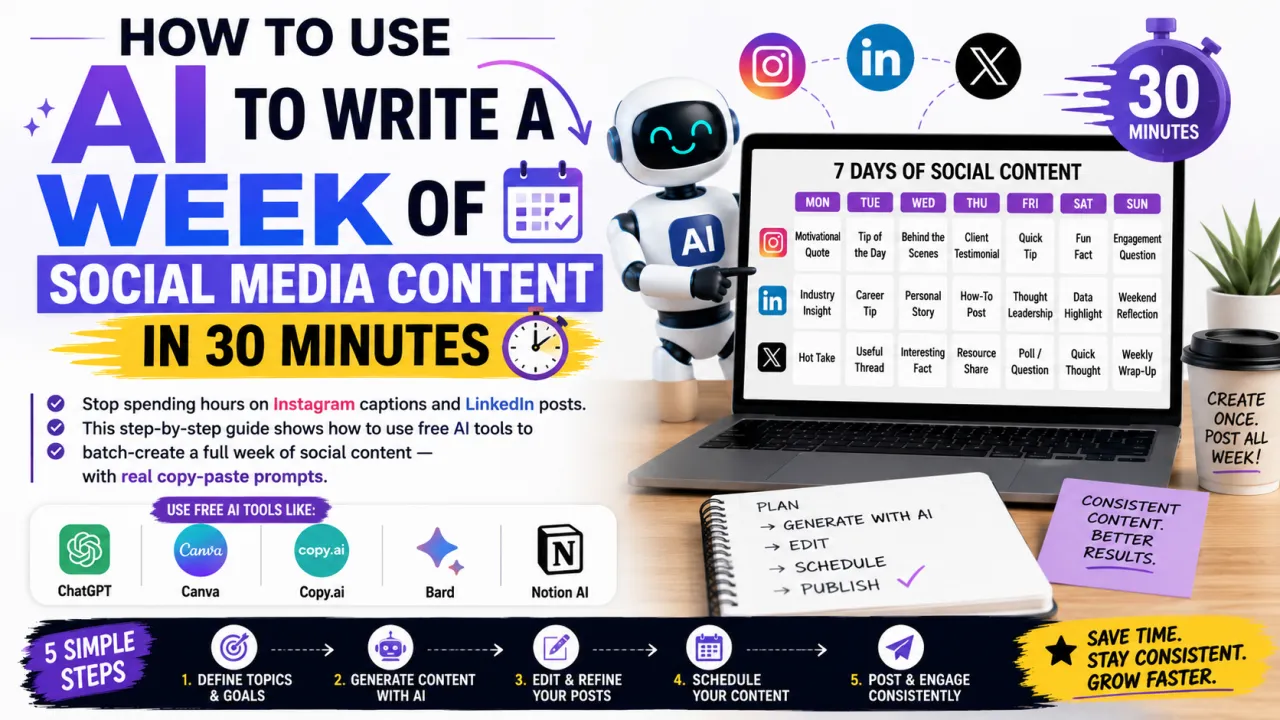
Social media is one of the most time-consuming parts of running a business or building an online presence — and most of that time is wasted not on creating, but on deciding. What to post. What angle to take. How to start. Whether this caption is interesting enough.
That decision fatigue is what AI solves better than almost anything else. It's not here to replace your ideas or your voice. It's here to eliminate the blank page problem and turn a rough direction into a working draft in seconds.
Here's the exact 30-minute workflow, including the prompts you can copy and use today.
The Core Idea: Batch, Don't Post Daily
The biggest mistake people make with social media is trying to create content in real time — writing a post on the day it goes out, scrambling for an idea every morning.
Batching — creating an entire week of content in one sitting — is how consistent creators actually stay consistent. It removes the daily decision, reduces quality variation, and means you're never scrambling.
AI makes batching faster and much less mentally draining.
Step 1 — Choose One Content Pillar for the Week (5 minutes)
A content pillar is a broad theme or topic area you'll build the week's posts around. One pillar per week keeps content cohesive and prevents the random, inconsistent feel that makes accounts hard to follow.
Examples by niche:
- Finance blogger: "5 money habits for your 30s"
- Fitness coach: "Why most people plateau at the gym"
- Marketing freelancer: "Getting your first three clients"
- Home decor: "Small room, big impact — decorating on a budget"
Once you have your pillar, you have the week's direction. Everything follows from there.
Step 2 — Generate Post Ideas With AI (5 minutes)
Open ChatGPT or Claude (both have free tiers) and use this prompt:
"I run a [describe your business or niche]. My content pillar for this week is [your pillar]. Give me 7 different post ideas for this theme — suitable for Instagram, LinkedIn, and X. Each idea should have a different angle: one educational, one personal story, one question for the audience, one tip, one myth-busting, one behind-the-scenes, and one motivational."
You'll get seven usable ideas in under 30 seconds. Pick the three or four that feel most natural to your audience and brand.
Step 3 — Turn Ideas Into Drafts (15 minutes)
For each idea you've selected, use this prompt format:
"Write a [LinkedIn/Instagram/X] post on the topic: [paste the idea]. My brand voice is [casual and friendly / professional and authoritative / warm and encouraging]. Keep it under 200 words. Start with a strong hook that makes someone stop scrolling. End with a question or a call to action."
Review each draft and do two things: remove any sentence that sounds like an AI wrote it (overly enthusiastic phrases, generic motivational language), and add one specific personal detail — a real example, a client you've worked with, a mistake you made — that couldn't have come from anywhere but you.
That combination of AI efficiency and your real experience is what makes the content both easy to produce and genuinely worth reading.
Step 4 — Write Captions for Instagram (If Relevant)
Instagram posts benefit from a slightly different structure — a strong first line (the hook that appears before "more"), a few short paragraphs, and a set of relevant hashtags.
Use this prompt:
"Rewrite this post as an Instagram caption. The first line should be a scroll-stopping hook. Add 5 to 8 relevant hashtags at the end for [your niche]."
Step 5 — Schedule Everything (5 minutes)
Buffer (free for up to three social channels) and Later (free tier available) both let you schedule posts across Instagram, LinkedIn, X, and other platforms from a single dashboard.
Copy your finished posts in, assign dates and times, and you're done. The entire week of social media is handled in 30 minutes, and you don't need to think about it again until next week.
Important: Add Your Voice Before Posting
The posts AI generates are drafts — good starting points, not finished products. Before scheduling anything, read it aloud. If it sounds like something a generic marketing account would post rather than something you would say, change it until it doesn't.
The accounts that grow consistently are the ones that feel like a real person with real opinions. AI can produce the structure and the words. The personality has to come from you.
What You'll Have in 30 Minutes
Four to five social media posts across your chosen platforms, all built around a cohesive theme, written in your brand voice, with hooks, captions, and hashtags — scheduled and ready to go for the entire week.
That's the equivalent of two to three hours of manual content creation condensed into half an hour. Once you've done it twice, the whole process becomes even faster.

The Editorial Team
We are a collective of tech enthusiasts and digital experts dedicated to making sense of the evolving digital landscape for our global audience.
Connect With Us

0 Perspectives