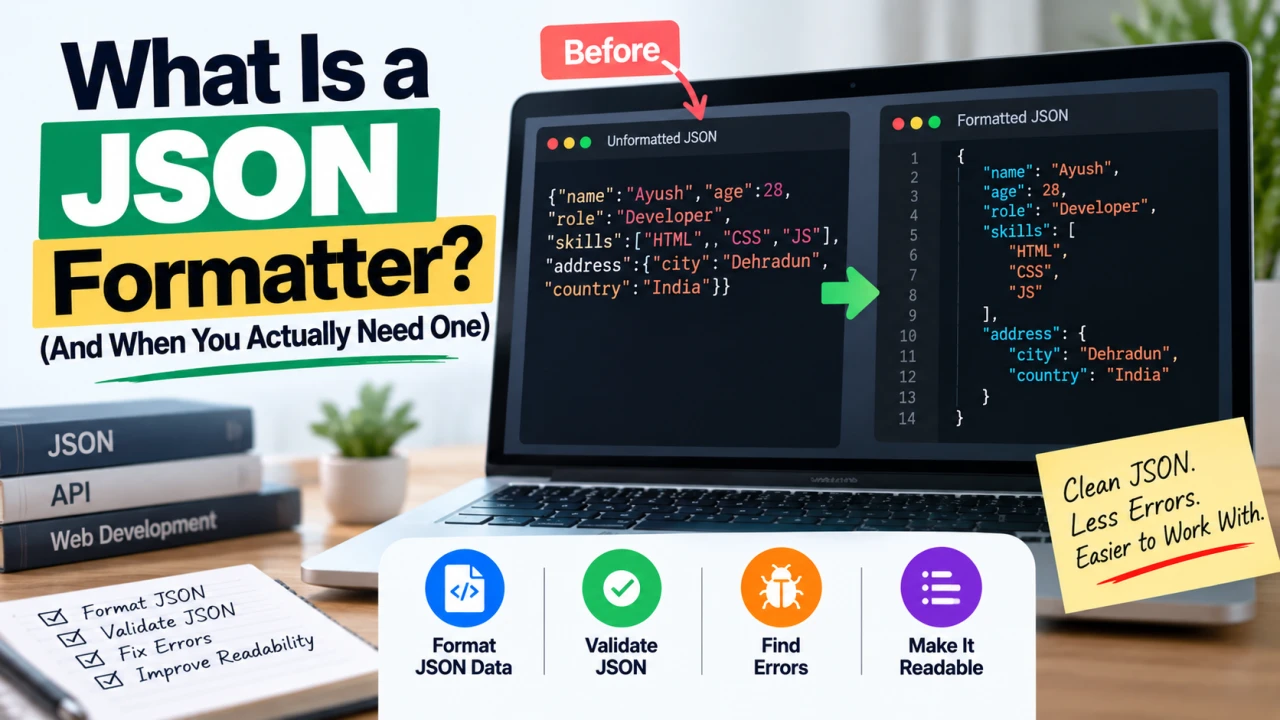
If you've ever opened a file or copied some data and found a single, unreadable wall of text packed with curly braces and commas, there's a good chance you were looking at unformatted JSON. A JSON formatter is the tool that turns that mess into something a human can actually read.
What JSON Actually Is, in Plain Terms
JSON stands for JavaScript Object Notation. It's a lightweight text format used to store and exchange data — between a website and a server, between two different pieces of software, or inside configuration files. It represents data as a structured set of key-value pairs, similar in concept to a labeled list, using curly braces {}, square brackets [], and quotation marks to organize everything.
JSON became popular because it's both easy for computers to generate and parse, and reasonably easy for humans to read — as long as it's formatted properly. That last part is where a JSON formatter comes in.
What a JSON Formatter Does
A JSON formatter takes raw JSON data — often compressed into a single unbroken line to save space — and reformats it with proper indentation, line breaks, and spacing, so the structure of the data becomes visually clear.
Here's the difference in practice. Unformatted JSON often looks like this:
{"name":"John","age":30,"city":"London","hobbies":["reading","cycling"]}
After running it through a formatter, the same data becomes:
{
  "name": "John",
  "age": 30,
  "city": "London",
  "hobbies": [
    "reading",
    "cycling"
  ]
}
Nothing about the actual data changes — only how it's visually presented. But that difference is significant when you're trying to read, debug, or edit the data by hand.
Why JSON Gets Compressed in the First Place
Most JSON you encounter in the wild — from an API response, a downloaded data export, or a configuration file — is deliberately minified, meaning all unnecessary whitespace is stripped out. This isn't a mistake; it's intentional, since removing extra characters reduces file size and speeds up data transfer, which matters at scale for websites and applications handling large volumes of data.
The trade-off is that minified JSON is genuinely difficult for a person to read directly, which is exactly the gap a formatter fills.
Common Situations Where You'd Use a JSON Formatter
Debugging an API response. When working with any API, responses often come back as a single dense line of JSON. Formatting it makes it far easier to spot the specific field or value you're looking for, or to identify why something isn't working as expected.
Reading a configuration file. Many applications and development tools store their settings in JSON files. When one of these files becomes unreadable — either through minification or an editing mistake — a formatter restores it to a readable structure.
Validating JSON syntax. JSON has strict formatting rules — every quotation mark, comma, and bracket needs to be in exactly the right place. Most formatters also validate the data as they format it, immediately flagging syntax errors like a missing comma or an unclosed bracket that would otherwise cause the data to fail when used in a program.
Sharing data with a colleague or in documentation. Properly formatted JSON is significantly easier for someone else to read and understand at a glance than a single dense line of text.
Comparing two JSON files or objects. When formatted consistently, differences between two versions of the same data structure become much easier to spot, whether manually or using a comparison tool.
Formatter vs. Validator vs. Beautifier: Are They the Same Thing?
These terms are often used interchangeably, and in practice, most tools that call themselves a "JSON formatter" do all three:
- Formatting (or "beautifying") adds indentation and line breaks for readability
- Validating checks whether the JSON follows correct syntax rules and flags errors if it doesn't
- Minifying does the opposite of formatting — it strips whitespace to compress the data, which is the reverse operation some tools also offer
If a tool only does one of these, it's worth checking which — some minimal formatters skip validation entirely, which matters if you're troubleshooting broken JSON rather than just making valid JSON easier to read.
How to Use a JSON Formatter
- Copy your raw JSON data — from an API response, a file, or wherever you encountered it
- Paste it into the formatter tool
- Run the format/beautify action — most tools do this instantly
- Review the output — properly structured, indented JSON, with any syntax errors typically highlighted if present
- Copy the formatted result for use in your code, documentation, or wherever you need it readable
The Bottom Line
A JSON formatter solves a very specific, very common problem: JSON data is efficient for computers but genuinely hard for humans to read in its compressed form. The tool itself is simple — it just adds structure back in — but that structure is often the difference between spotting a data error in seconds versus scanning through an unbroken wall of text trying to manually count brackets.
Frequently Asked Questions
Q: Does formatting JSON change the actual data? No. Formatting only changes the visual presentation — indentation, line breaks, and spacing. The underlying data, keys, and values remain exactly the same.
Q: Why is JSON often compressed instead of just formatted from the start? Minified JSON reduces file size and speeds up data transfer, which matters for performance at scale, particularly for APIs and websites handling frequent data requests. Formatting is applied afterward, when readability is what actually matters.
Q: Can a JSON formatter tell me if my JSON has an error? Most JSON formatters also validate syntax as part of the formatting process, flagging issues like missing commas, unmatched brackets, or incorrect quotation marks that would otherwise cause the data to fail when parsed by a program.
Q: Is JSON the same as XML? No, though they serve a similar general purpose of structuring and exchanging data. JSON is generally considered more lightweight and easier to read than XML, which is part of why it became the more common format for modern web APIs.
Q: Do I need to know how to code to use a JSON formatter? No. Formatting JSON itself doesn't require coding knowledge — you're simply pasting data in and getting a readable version out. Understanding what the data represents may require some familiarity with the specific system or API it came from.
Q: What's the difference between formatting and minifying JSON? Formatting adds indentation and line breaks to make JSON human-readable. Minifying does the opposite, stripping all unnecessary whitespace to make the file as small as possible for machine use. Most JSON tools offer both operations.

The Editorial Team
We are a collective of tech enthusiasts and digital experts dedicated to making sense of the evolving digital landscape for our global audience.
Connect With Us

0 Perspectives