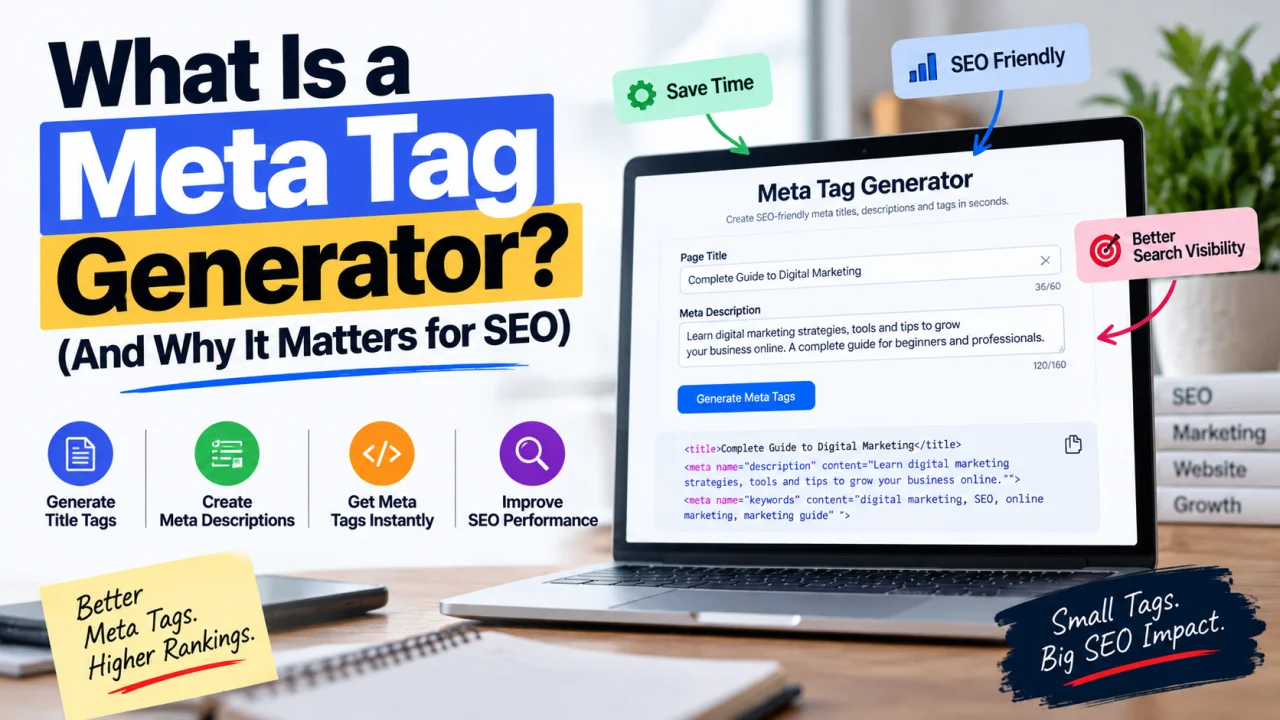
If you've ever looked at a Google search result and wondered how the website ended up with that exact title and short description underneath it, the answer is meta tags. A meta tag generator is simply the tool that helps you create those tags correctly, without needing to write raw HTML by hand.
What a Meta Tag Generator Actually Does
A meta tag generator is a tool that creates the HTML code for a page's meta tags based on information you enter — typically a title, a description, and sometimes additional details like keywords or social sharing settings. Instead of manually writing and formatting the HTML yourself, you fill in a few fields and the tool outputs ready-to-use code you can paste into your page's <head> section.
It's a convenience tool at its core. The meta tags themselves aren't complicated, but getting the syntax, character limits, and formatting exactly right by hand is easy to get wrong — a generator removes that friction.
What Are Meta Tags, Exactly?
Meta tags are snippets of HTML code placed in the <head> section of a webpage that describe the page's content to search engines and browsers, without appearing directly on the page itself for visitors to see.
The two most important ones for SEO are:
- Title tag — the clickable headline shown in search results and browser tabs. This is arguably the single most influential on-page SEO element for both rankings and click-through rate.
- Meta description — the short summary shown beneath the title in search results. It doesn't directly affect rankings, but a well-written one significantly influences whether someone clicks your result over a competitor's.
Beyond these two, other common meta tags include the viewport tag (controls how a page displays on mobile), the robots tag (tells search engines whether to index a page), and Open Graph tags (control how a link looks when shared on social media).
Why a Generator Is Useful, Even for Something This Simple
Meta tags follow specific formatting rules, and getting them wrong is more common than it should be:
- Character limits. Google typically displays around 50-60 characters of a title tag and roughly 150-160 characters of a meta description before truncating with "..." — a generator often includes a live character counter so you don't find out after publishing that your title got cut off mid-sentence.
- Correct syntax. A title tag written correctly looks like
<title>Your Page Title</title>. Small errors — mismatched quotes, wrong tag names, incorrect nesting — can cause a tag to be ignored entirely by search engines. - Consistency across a site. If you're creating meta tags for many pages, a generator keeps the format consistent, which matters more than people expect when a site has dozens or hundreds of pages.
How to Actually Use a Meta Tag Generator
- Enter your page title. Keep it under roughly 60 characters, include your primary keyword naturally, and make it something a person would actually want to click — not just a keyword stuffed in for search engines.
- Write your meta description. Aim for roughly 150-160 characters. Treat it like ad copy: describe what the page offers and give the reader a reason to click, rather than just restating the title.
- Generate the code. The tool outputs the formatted HTML tags ready to copy.
- Paste the code into your page's
<head>section. Where exactly this goes depends on your website platform — most CMS platforms (WordPress, Shopify, Wix, and similar) have a dedicated SEO fields section that handles this for you without needing to touch raw HTML directly. - Check how it displays. Many generators include a live search-result preview so you can see roughly how your title and description will actually appear on Google before publishing.
Common Mistakes Meta Tag Generators Help You Avoid
Writing the same title and description for every page. Duplicate meta tags across multiple pages confuse search engines about which page to rank for a given query and give users no reason to prefer one page over another in search results.
Keyword stuffing the title. Cramming multiple keyword variations into a title tag reads poorly to human searchers and can actually hurt click-through rate, even if it doesn't directly harm rankings.
Ignoring the meta description entirely. If you don't write one, Google will often auto-generate a snippet by pulling text directly from your page — which is sometimes fine, but frequently less compelling than a deliberately written description aimed at earning the click.
Going over the character limit without realizing it. A title or description that gets cut off mid-word in search results looks unpolished and can reduce click-through rate, even when the full version would have been compelling.
The Bottom Line
A meta tag generator doesn't do anything you couldn't technically do by typing HTML yourself — it just removes the room for formatting mistakes and speeds up a task you'll likely repeat across every page on your site. The tool matters less than what you put into it: a clear, accurate title and a genuinely compelling description are what actually move the needle on clicks, the generator just makes sure they're packaged correctly.
Frequently Asked Questions
Q: Do meta tags directly affect my Google ranking? The title tag is considered a meaningful on-page ranking factor. The meta description does not directly affect rankings, but it strongly influences click-through rate, which can indirectly affect performance over time.
Q: What's the ideal length for a meta title and description? A title tag of roughly 50-60 characters and a meta description of roughly 150-160 characters generally display fully in search results without being cut off, though exact limits vary slightly by device and search engine.
Q: Can I use the same meta description for multiple pages? It's not recommended. Duplicate meta descriptions across pages give search engines and users no distinct reason to differentiate between pages, which can hurt both rankings and click-through rate.
Q: What happens if I don't write a meta description at all? Google will typically auto-generate one by pulling text directly from your page content, which may or may not effectively represent the page or encourage clicks as well as a deliberately written one would.
Q: Are meta tags different from meta keywords? Yes. The meta keywords tag was once used to list relevant keywords for a page, but major search engines, including Google, no longer use it as a ranking factor, so it's largely considered obsolete for SEO purposes today.
Q: Do I need a meta tag generator if I use WordPress or a similar CMS? Most modern CMS platforms and SEO plugins include built-in fields for titles and descriptions, which serve the same purpose as a standalone generator. A separate tool is mainly useful for quickly testing options, checking character counts, or working outside a CMS environment.

The Editorial Team
We are a collective of tech enthusiasts and digital experts dedicated to making sense of the evolving digital landscape for our global audience.
Connect With Us

0 Perspectives