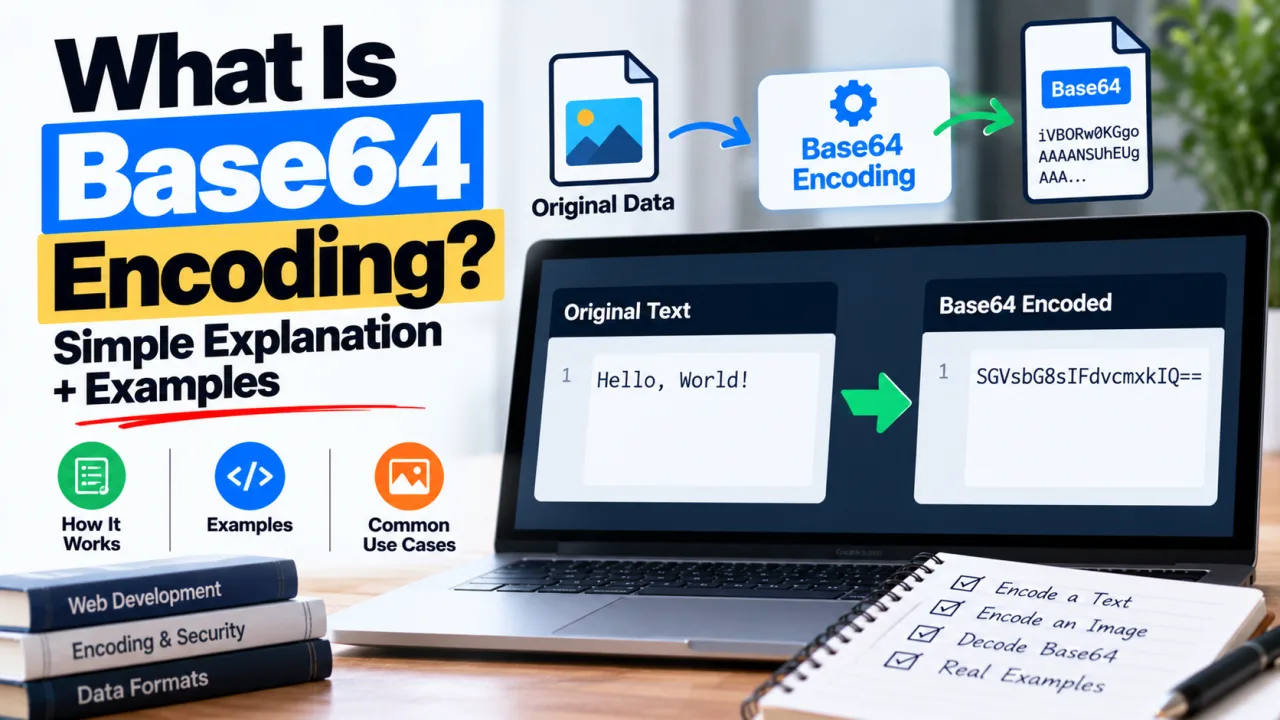
You've probably seen a string like this somewhere: SGVsbG8gV29ybGQ=. It looks like gibberish, maybe like encryption. It's neither. Decode it and you get Hello World.
That string is Base64, and once you see how it works, a lot of things in web development stop looking mysterious: why email attachments work, what's inside a JWT, why images sometimes appear as huge blocks of text in page source.
The problem Base64 solves
A lot of systems were built to carry text, not raw bytes. Email, JSON, XML, HTML and URLs all handle plain characters well and can choke on arbitrary binary data. Send an image through one of these as raw bytes and some of those bytes get misread as control characters, line breaks or delimiters, and the file arrives damaged.
Base64 fixes that by rewriting any data using only 64 safe characters: A-Z, a-z, 0-9, + and /. Everything survives the trip, because everything is now ordinary text.
How it works, step by step
Base64 takes your data three bytes at a time. Three bytes is 24 bits. It splits those 24 bits into four groups of 6 bits, and each 6-bit group (a number from 0 to 63) picks one character from the alphabet.
Take the word Man:
| Letter | Byte value | Binary |
|---|---|---|
| M | 77 | 01001101 |
| a | 97 | 01100001 |
| n | 110 | 01101110 |
Join the bits: 010011010110000101101110. Split into groups of six: 010011, 010110, 000101, 101110. Those are the numbers 19, 22, 5 and 46. In the Base64 alphabet (A is 0, Z is 25, a is 26, z is 51, 0 to 9 are 52 to 61, + is 62, / is 63), they map to T, W, F, u.
Man becomes TWFu.
What the = signs are
If your input isn't a multiple of three bytes, the encoder pads the end with = so the output length stays a multiple of four:
Man(3 bytes) becomesTWFuMa(2 bytes) becomesTWE=M(1 byte) becomesTQ==
That's all the padding is. It carries no meaning.
The cost
Every three bytes become four characters, so Base64 output is about 33% larger than the original. That's the price of making data text-safe.
Where you'll run into it
- Email attachments. MIME encodes attachments in Base64 so they can pass through text-based mail systems.
- Data URIs. An image can be embedded directly in HTML or CSS as
data:image/png;base64,iVBOR..., which saves a request at the cost of a larger page. - HTTP Basic authentication. The
Authorization: Basic ...header holdsusername:passwordin Base64. - JWTs. Each part of a JSON Web Token is Base64url-encoded JSON.
- Keys and certificates. The blocks between
-----BEGINand-----ENDlines in PEM files are Base64. - APIs. Many APIs accept file uploads or return binary data as a Base64 string inside JSON.
Base64 is not encryption
This is the point worth repeating. Base64 is an encoding, not a security measure. There's no key and no secret. Anyone can reverse it in a second, and the Basic header above is a good example: dXNlcjpwYXNz decodes straight to user:pass. That header is only safe because it travels over HTTPS.
If you need to protect something, encrypt it. Base64 is for formatting, not hiding.
Base64url: the URL-safe variant
The standard alphabet includes + and /, both of which have special meanings in URLs. Base64url swaps them for - and _, and usually drops the = padding. JWTs use this form, and it's what you want whenever Base64 data goes into a URL or a filename.
Encoding and decoding in code
Terminal
bash
echo -n "Hello" | base64
# SGVsbG8=

echo "SGVsbG8=" | base64 --decode
# Hello
The -n matters. Without it, echo adds a newline and that newline gets encoded too.
JavaScript
javascript
btoa("Hello");        // "SGVsbG8="
atob("SGVsbG8=");     // "Hello"
btoa throws an error on characters outside the Latin-1 range, which includes emoji and most non-English scripts. Encode to UTF-8 bytes first:
javascript
function toBase64(text) {
  const bytes = new TextEncoder().encode(text);
  let binary = "";
  bytes.forEach((b) => (binary += String.fromCharCode(b)));
  return btoa(binary);
}
PHP
php
base64_encode("Hello");     // SGVsbG8=
base64_decode("SGVsbG8=");  // Hello
Python
python
import base64

base64.b64encode(b"Hello")      # b'SGVsbG8='
base64.b64decode(b"SGVsbG8=")   # b'Hello'
If you just need a quick conversion, the Base64 Encoder/Decoder tool does it in the browser with nothing to install.
Common problems
"Invalid character" or "incorrect padding." The string was cut off, has a stray space or newline in it, or is Base64url being read as standard Base64. Strip whitespace and check which variant you have.
Plus signs turning into spaces. In a URL query string, + is read as a space. If Base64 data is passed in a URL, use Base64url or percent-encode it.
Double encoding. Encoding a string that's already encoded produces a longer string that decodes to another Base64 string. If your decoded output still looks like Base64, run it through once more.
Garbled text after decoding. The original was probably UTF-8 text and was decoded as something else, or the data is binary (an image, a file) and was never meant to display as text.
When not to use it
Don't use Base64 to hide secrets, and be careful with embedding large images as data URIs. A big inline image bloats the page, can't be cached separately and slows rendering. It's fine for tiny icons, not for photos.
Frequently Asked Questions
Is Base64 the same as encryption? No. Base64 is a reversible encoding with no key. Anyone can decode it instantly. Use real encryption to protect data.
Why does Base64 make data bigger? Every three bytes of input become four characters of output, so the result is roughly one third larger than the original.
What do the = characters at the end mean? They're padding. Base64 works in groups of three input bytes, and = fills the last group so the output length is a multiple of four. One or two = signs is normal.
What's the difference between Base64 and Base64url? Base64url replaces + with - and / with _, and usually removes padding, so the result is safe inside URLs and filenames. JWTs use it.
Can I Base64-encode an image? Yes. Any file is just bytes, and Base64 can encode them. It's common for small images in data URIs and for sending files through JSON APIs.
Why does JavaScript's btoa() fail on some text? It only accepts characters in the Latin-1 range. For emoji or non-Latin text, convert the string to UTF-8 bytes first, then encode those.

The Editorial Team
We are a collective of tech enthusiasts and digital experts dedicated to making sense of the evolving digital landscape for our global audience.
Connect With Us

0 Perspectives